
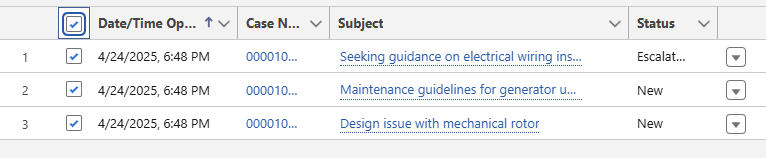
I recently encountered a use case. It required re-sending an automated email using an email template. This was needed for multiple contacts for a certain case type in a list view. If this was a Contact or a Lead, I would use the ‘Send List Email’ action easily. There is not a similar action for Cases.
I created a Flow for this. I added a list view link Button. This button allows a user to check the boxes next to the case they want to email. They can choose the email template folder and then the email template. I also let them choose the ‘From’ org wide email address.
The rest of this guide will show the steps to create this type of flow.
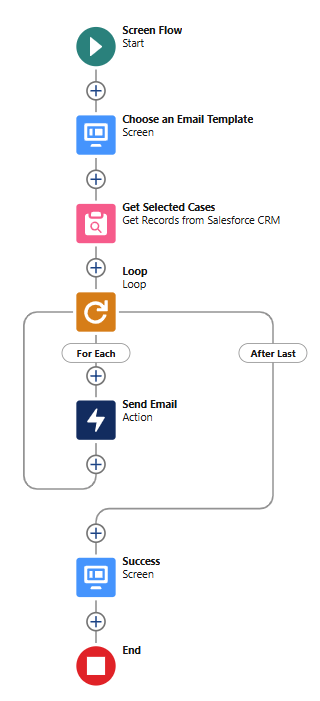
I am utilizing the UnofficalSF Flow Actions & Screen Components Base Packs for this flow. I also incorporate Reactive Collection Processors, DataFetcher and Datatable.
From your Flows page, either in Setup or in the user interface Flow list view, create a new Screen Flow.

Create 2 Resources
Type: Text Collection Variable
API Name: ids

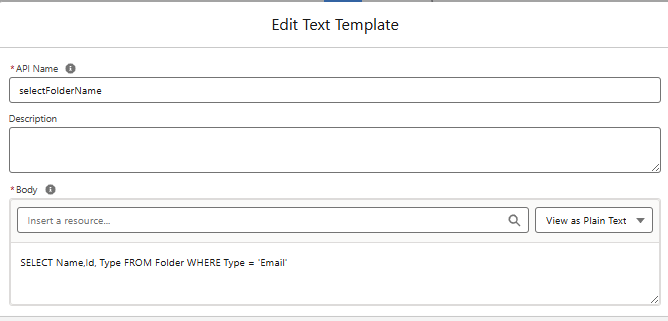
Type: Text Template (Plain Text)
API Name: selectFolderName
This is the query for Datafetcher to use.
It queries all Email Template Folder Names and Ids. SELECT Name,Id,Type FROM Folder WHERE Type = 'Email‘
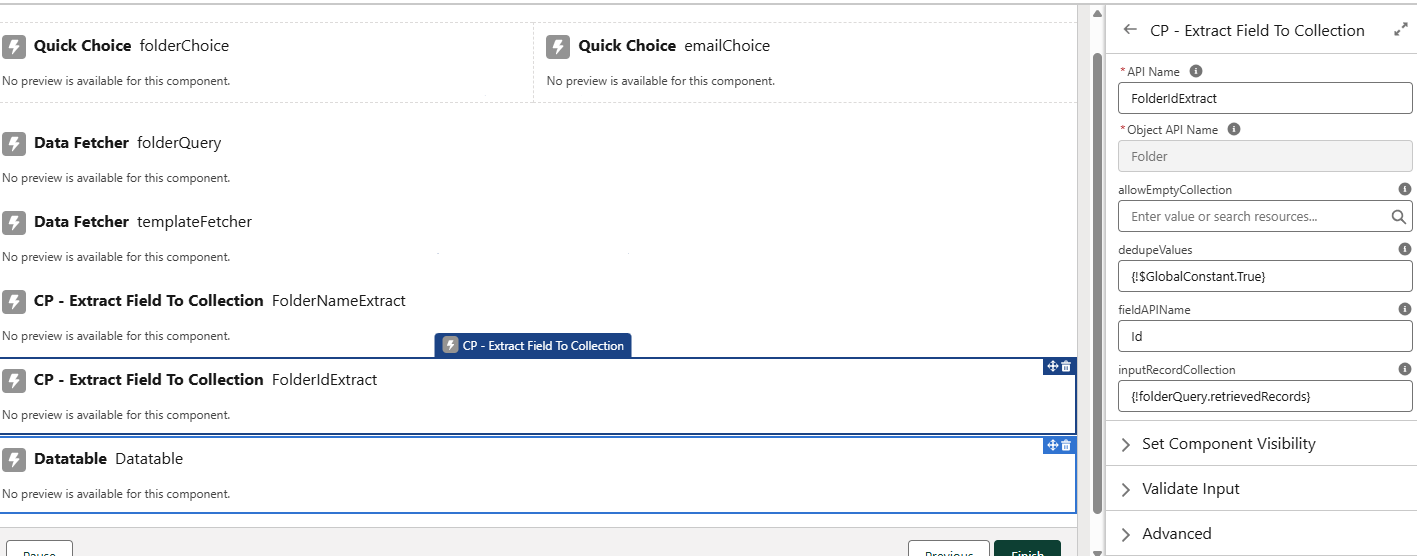
Screen 1
Type: Datafetcher (Custom)
API Name: folderQuery
Object API Name: Folder
SOQL Query: {!selectFolderName} text template resource

Type: CP – Extract Field to Collection (Custom)
API Name: folderNameExtract
Object API Name: Folder
dedupeValues: True
fieldAPIName: Name
inputRecordCollection: {!folderQuery.retrievedRecords}

Type: CP – Extract Field to Collection (Custom)
API Name: folderIdExtract
Object API Name: Folder
dedupeValues: True
fieldAPIName: Id
inputRecordCollection: {!folderQuery.retrievedRecords}
Type: Quick Choice (Custom)
API Name: folderChoice
Display As: Picklist
datasource: Two String Collections (Labels & Values)
Choice Labels: {!FolderNameExtract.fieldValueCollection}
Choice Values: {!FolderIdExtract.fieldValueCollection}
Master Label: Choose an Folder

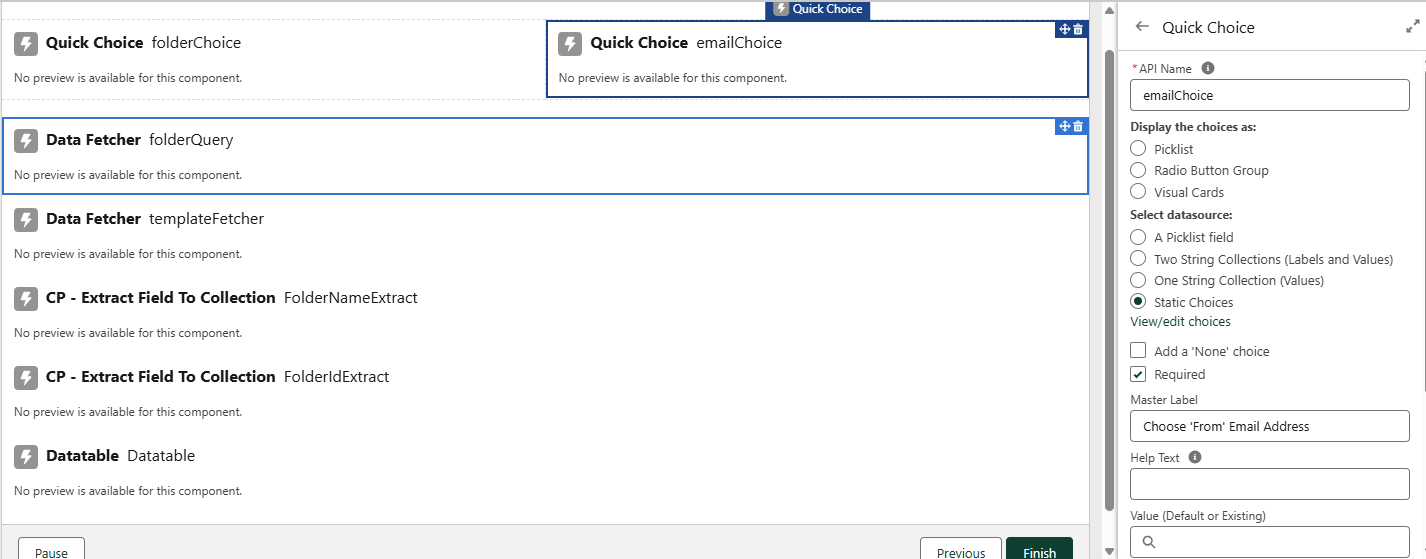
Type: Quick Choice (Custom)
API Name: emailChoice
Display As: Picklist
datasource: Static Choices
Master Label: Choose the ‘From’ Email Address
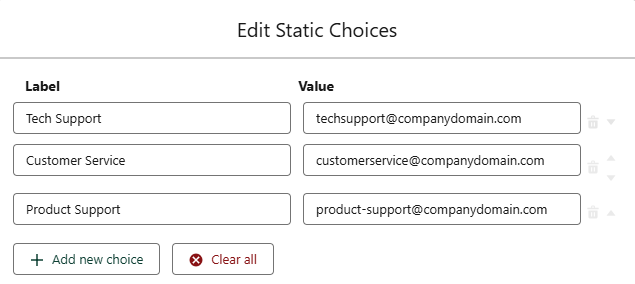
Add your static choices that allow the user to choose the Org Wide Email Address to utilize as the ‘From’ email
Create 1 Resource
Type: Text Template
API Name: selectEmailTemplate
This is the 2nd query for the 2nd Datafetcher we will add on the screen component. It queries all active Email Templates that are in the folder the user chose in the QuickChoice (folderChoice) component we added.
SELECT Id, IsActive, Name, FolderName FROM EmailTemplate WHERE FolderId='{!folderChoice.value}' AND IsActive=True

Back on Screen 1
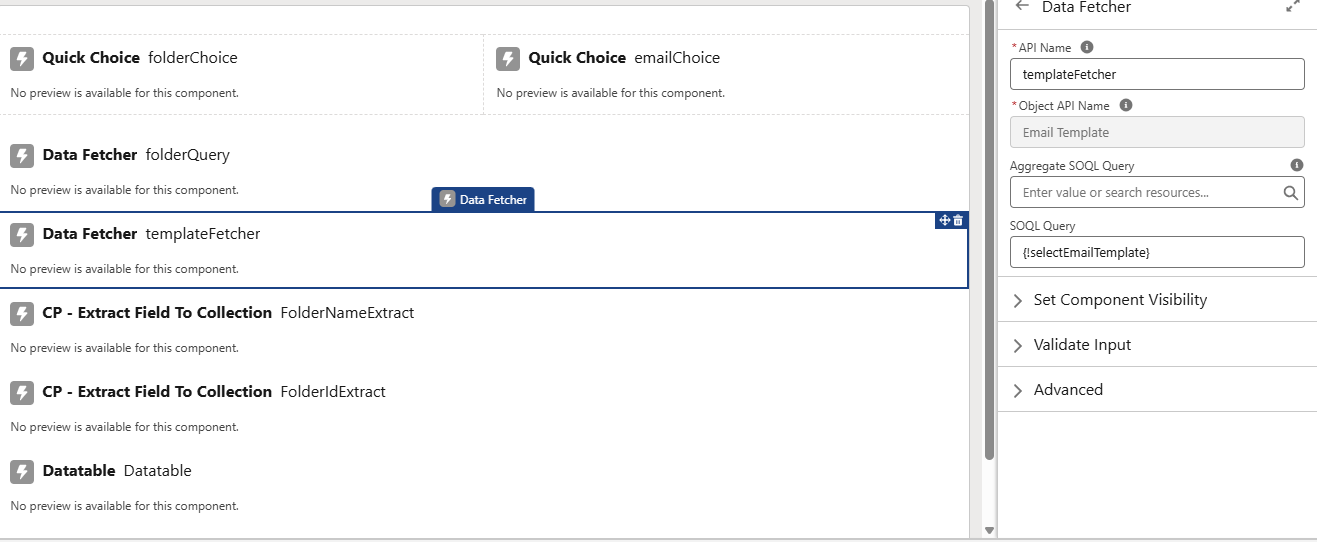
Type: Datafetcher (Custom)
API Name: templateFetcher
Object API Name: Email Template
SOQL Query: {!selectEmailTemplate} text template resource
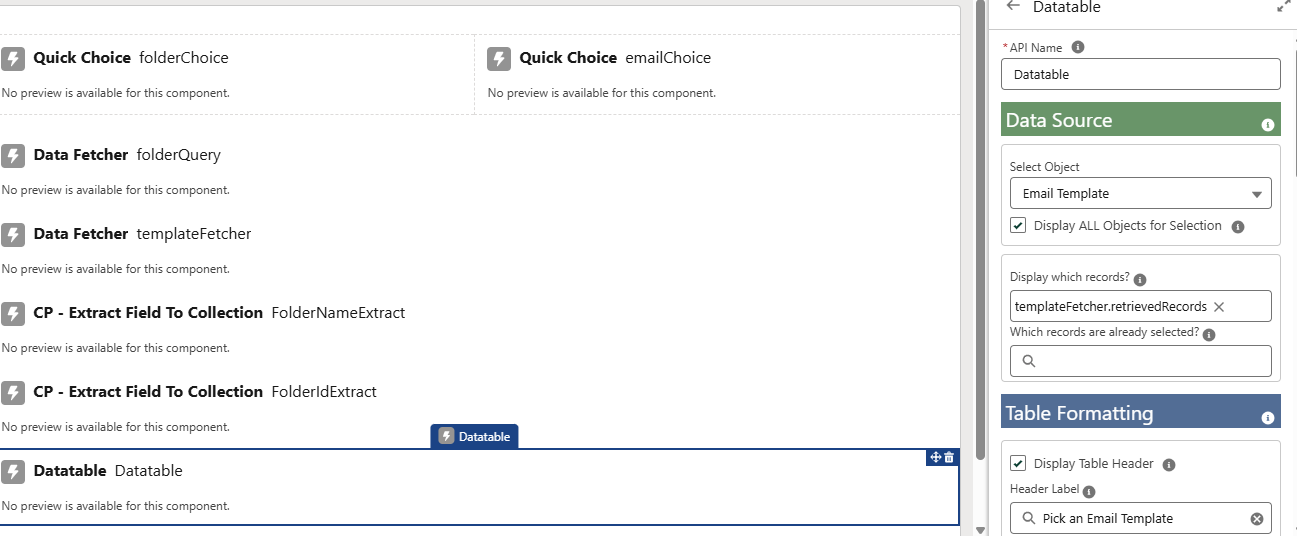
Type: Datatable (Custom)
API Name: Datatable
Data Source: Email Template
Display which records? {!templateFetcher.retrievedRecords}
Table Behavior: Single row selection only
Get Records
Since we are using this flow with a list of records, not just a single record, we need to get all the case records that the user has chosen from the list view. We do this with the text collection variable we created earlier, which we named ‘ids’. Just like how ‘recordId’ variables work, Salesforce will recognized these variables when they are named ‘ids’ and are part of a collection, to pass in the list of records to the flow.

Loop
Next, we’ll loop through those cases from our Get Records.
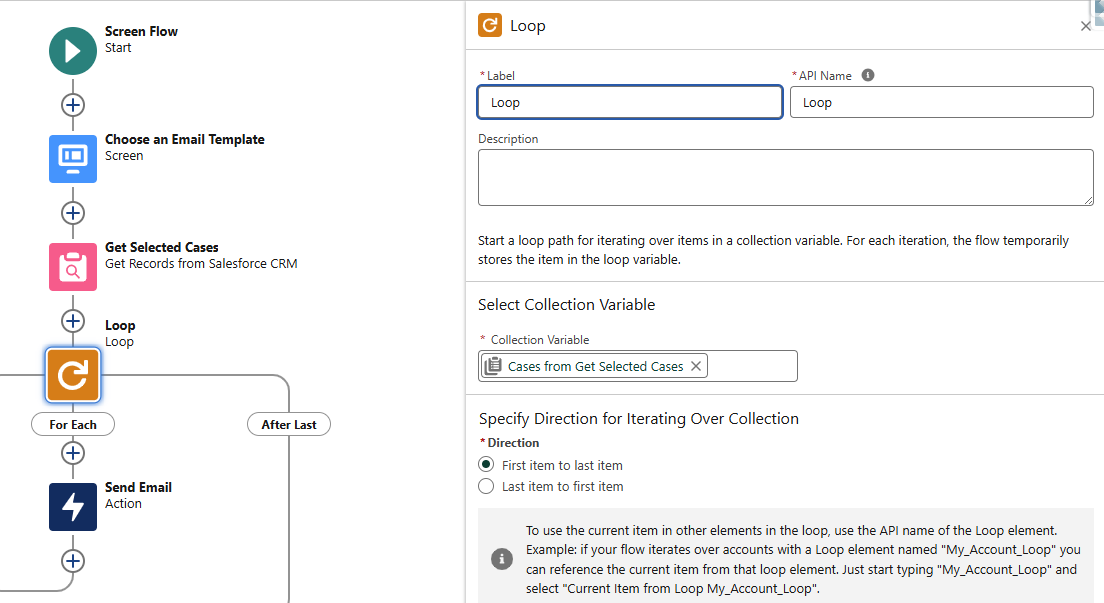
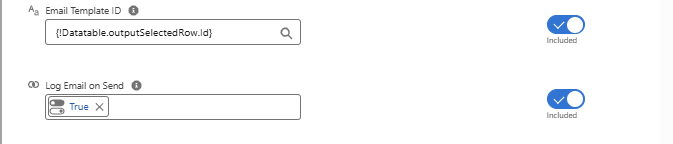
Send Email
Next, we’ll loop through those cases from our Get Records.


Screen 2
Success Screen with Custom Labels
If we add a Custom Label to the org with HTML markup, we can reference it from any Flow, and Display Text will treat it just like it does any other resource. Credits to USF

I hope you found this helpful. Please share any questions or comments you have in the chat!
